

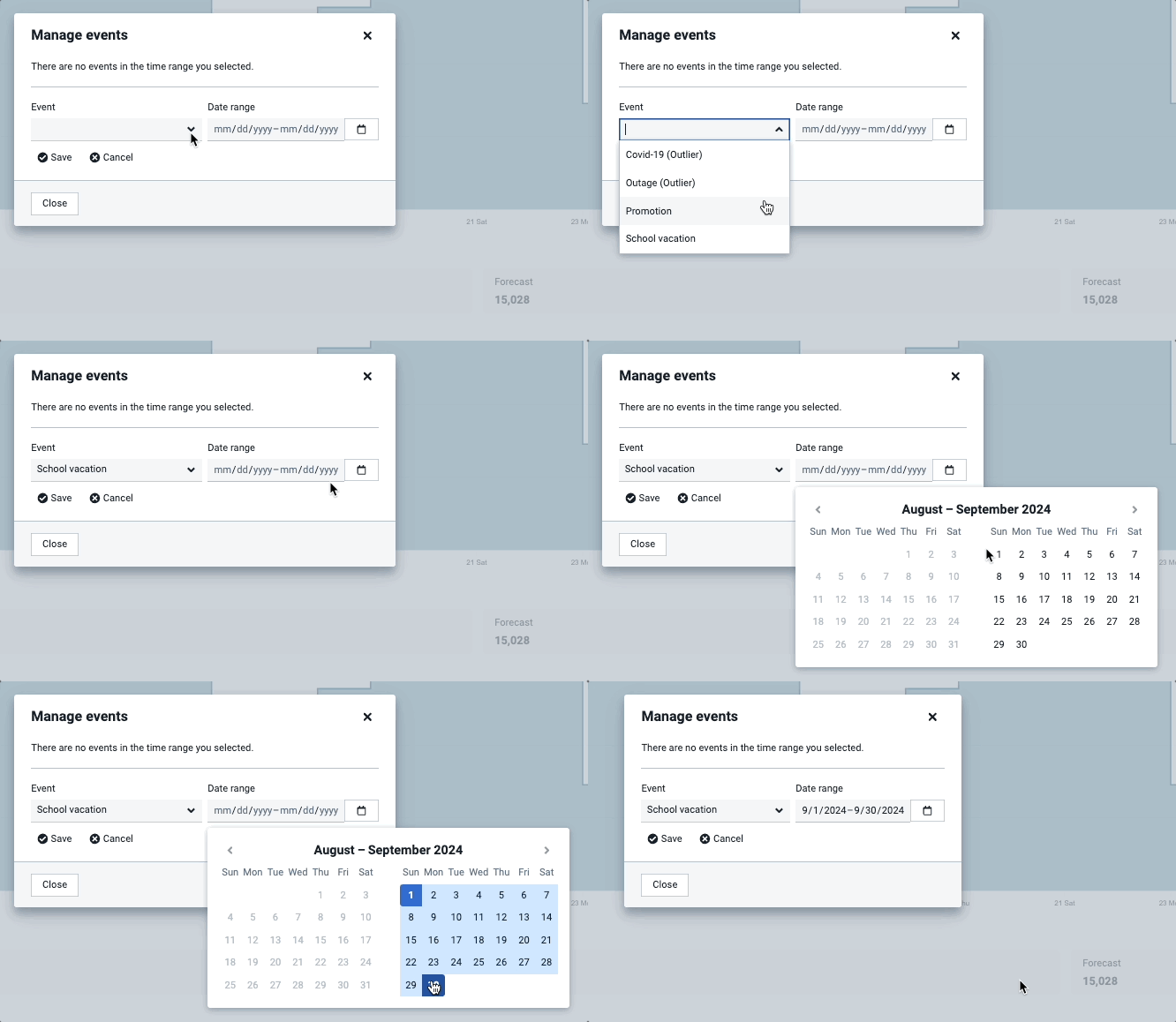
How to add an event period:
- Login and go to Forecast > Workloads and select a workload.
- Click on the three dots in the top-right corner and select Manage events.
- In the pop-up, click +Add event and choose an event.
- Select a date range and click Save—you have now applied the same event across multiple days.
Learn more about Events.