

Flexible quota units. Define quotas in people or FTE — as an absolute number or as a percentage — with a single unit applied consistently across all planning units.
Default quota templates. Set up reusable default quotas per planning unit with per-weekday values and validity periods, so you don't have to rebuild them every period. New periods are covered automatically.
Central quota overview. A new overview page under Time Off › Quotas shows quota, consumption, and projected consumption for an entire calendar year. Four view modes and heatmap indicators let you spot overloaded or quiet days at a glance.
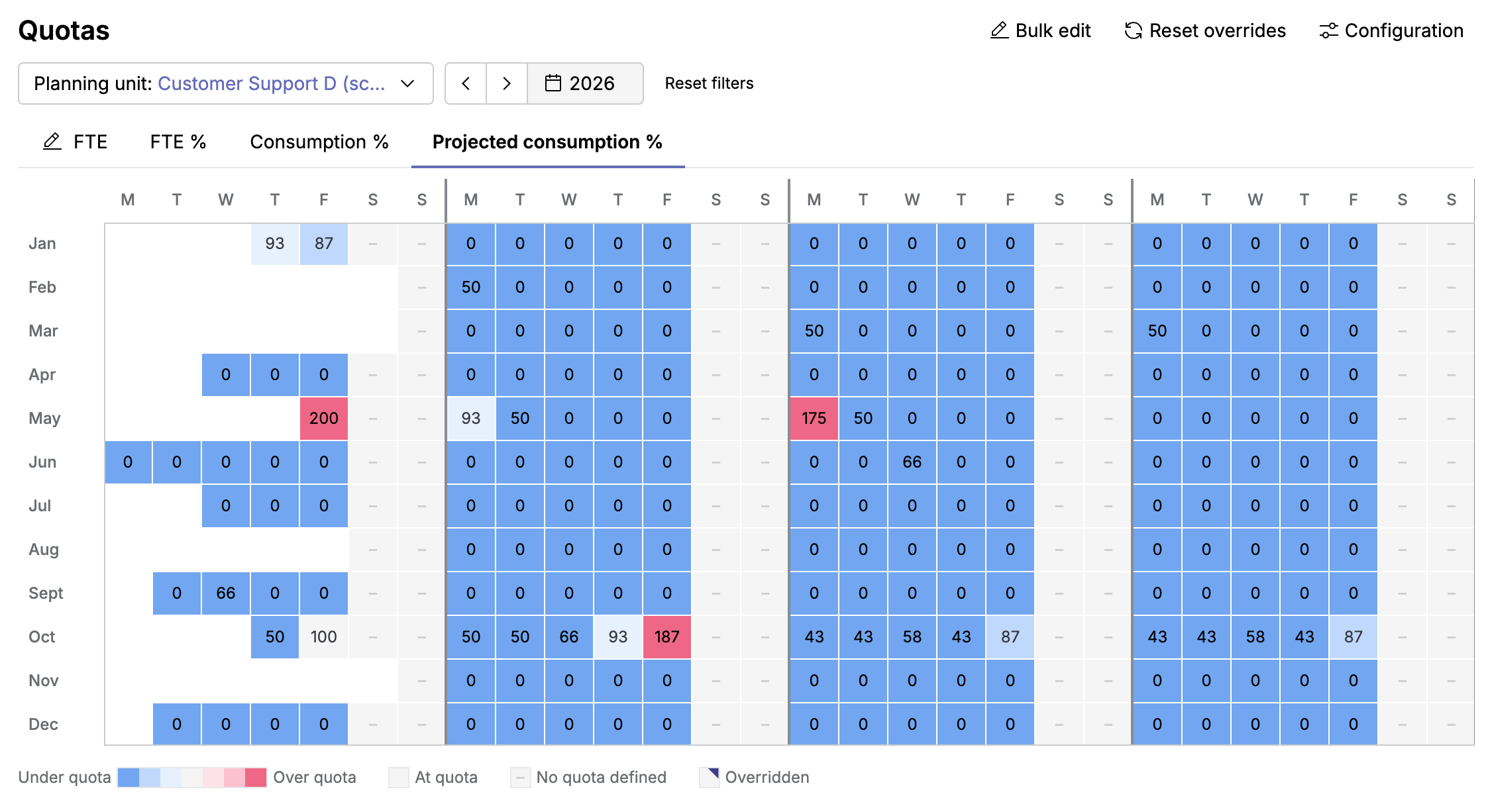
Manual overrides. Make precise day-level or range adjustments when needed, and clear them at any time to revert to the underlying configuration.
Curious to get started? Learn the concept in Use Time Off > Time Off quotas, then follow Set up time-off quotas — the first in a series of step-by-step guides. Your Customer Success Manager is also happy to help.