

Here is how Admins can access this:
- Click Account > Roles
- Choose a role
- Manage permissions:
- On the left, under “Forecast”, you can manage permissions for all workloads
- At the bottom of the page, you can manage permissions for individual workloads
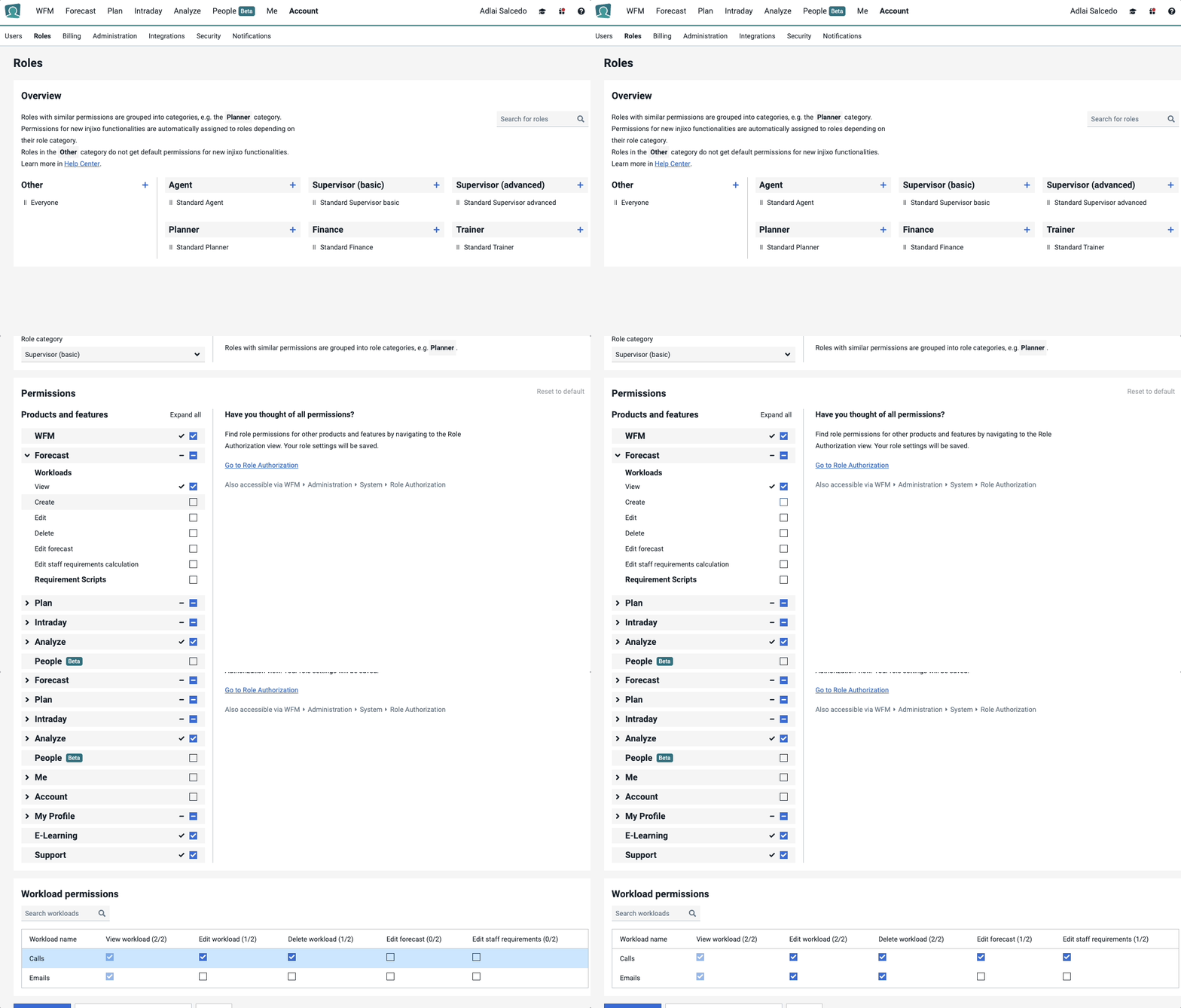
Advanced customers can only set permissions to all workloads
Enterprise customers can set permissions to all workloads and individual workloads
If you are interested in this feature, please get in touch.